
The web dashboard
The dashboard is the second way to read what the phone uploaded. It is a full reader — not a status page — and it is optional: the app is complete without a server at all, and a server is complete without anyone ever opening the dashboard.
What it is, and what it is not
Section titled “What it is, and what it is not”- It reads. It never writes. The Apple Health data can only come from the phone, so the browser has no ingest path and no way to change a measurement. Goals and settings are the exception, and they are settings rather than measurements.
- It computes what the app computes, from the same rules on the server. A formula that changes in one place has to be carried to the other: a server that computes “your usual range” differently from the phone is worse than one that does not compute it, because the two would quietly disagree about the same person.
- It is not a login page. There is no sign-in because there is no second user. Access is two layers that have nothing to do with each other: the network (WireGuard) and the application (a device token).
How to reach it
Section titled “How to reach it”The dashboard is served by the proxy alongside the API. It is the one component where the hardening advice is not optional reading: unlike the API, it is not behind mutual TLS, so the network layer is the whole of its front door.
Point a browser at it from your LAN or over WireGuard, paste a device token once, and it is stored in that browser only. See device token.
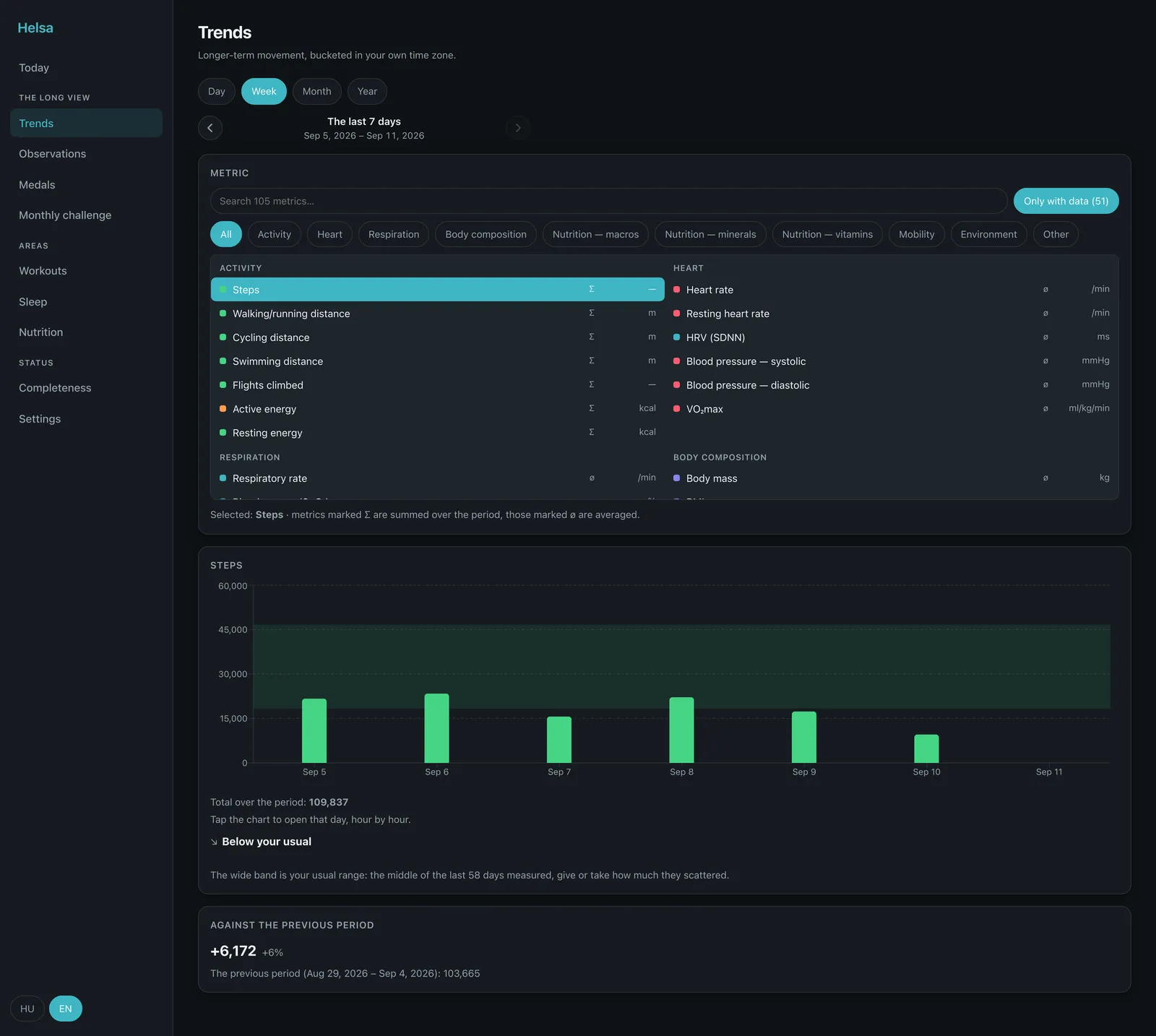
How it is organised
Section titled “How it is organised”Nine pages in three groups, plus the landing page. The grouping is not decoration: the router is generated from the same list the sidebar is, so a page cannot reach the web without being handed a group.
| Group | Pages | The claim it makes |
|---|---|---|
| — | Today | the landing page: where you are right now |
| The long view | Trends · Observations · Medals · Monthly challenge | something to look at, over weeks and months |
| Areas | Workouts · Sleep · Nutrition | one domain each, read entry by entry |
| Status | Completeness · Settings | whether the thing that moves your data is working |
Two of those group names are taken word for word from the phone’s own bands
(DashboardCard.swift), because they are claims about the content and the content
is the same.
The layout follows the window
Section titled “The layout follows the window”The grid is driven by the width it is actually given, not by device breakpoints. Narrow windows get one column and the sidebar collapses into a menu; a wide window gets more columns rather than a two-column layout with a field of empty space beside it. Wide content — tables, charts, long rows — scrolls inside its own container, so the page body never scrolls sideways.
Language
Section titled “Language”The interface is English and Hungarian, chosen from the browser and switchable. Every string goes through the translation files, and a key that does not exist is a type error — ⚠️ though nothing yet stops somebody writing a literal into a component instead of reaching for a key. The app has a guard script for exactly that; the web does not.
What is missing on purpose
Section titled “What is missing on purpose”- No analytics, no third-party script, nothing measured. Same rule as this documentation site.
- No PDF export. The medical PDF is generated on the phone, where the daily journal it draws on lives — and the journal never leaves the device.
- No notifications. The quiet reminder is a local notification on the phone.
- No map, unless you ask for one. A workout route is drawn, not mapped, until you choose a tile source — what each choice sends.